Animal Ringtones
Airnet Information Technology LLCPersonalization
4.5488.00 Reviews
- Version
- 3.251
- Installs
- 10.00M
- Age Rating
- Everyone
Screenshots
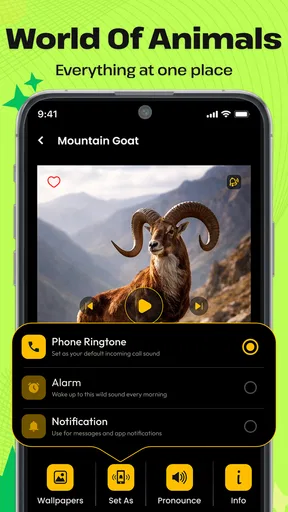
Our Review of Animal Ringtones
 Analysis by Appyee
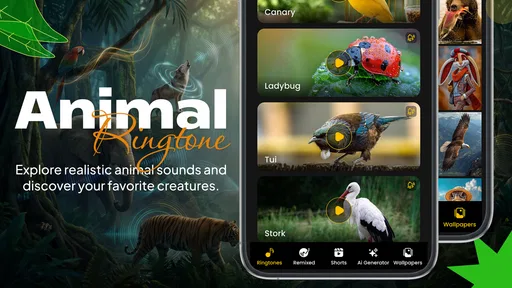
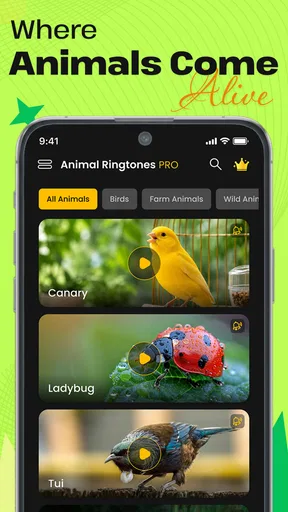
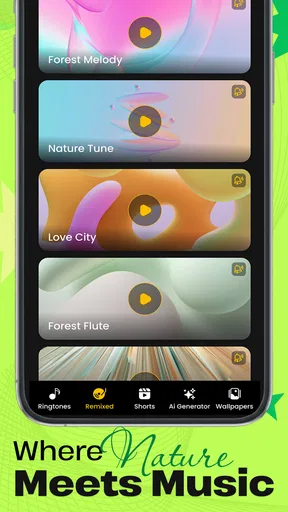
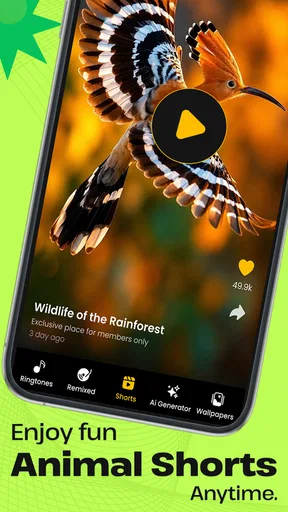
I approached Animal Ringtones as a personalization app for people who want something more distinctive than the usual notification chime. Its focus is straightforward: animal-themed ringtones, bird songs, relaxing nature sounds, and AI wallpapers in one place. I found the idea appealing because it combines sound and screen customization rather than treating them as completely separate jobs. If you like a phone that feels a little more personal, this is the kind of app that can make everyday alerts less dull.
My experience was also a reminder that ringtone apps are not always difficult because of the sound library itself. The real friction usually appears when a chosen sound has to become the phone’s ringtone, notification tone, or alarm. Android settings, manufacturer interfaces, silent modes, and battery behavior can all affect the result. So I looked at this app less as a simple collection of animal noises and more as a practical tool that needs a sensible setup routine.
What the app is like in everyday use
The app comes from Airnet Information Technology LLC and sits in the Personalization category. It is free to install, with optional in-app purchases ranging from $0.99 to $29.99 per item. That makes it easy to try without committing money first, although I would still pay attention to which content or functions are included without payment before building a large collection.
Its audience is broad. The Everyone age rating makes it suitable for general household use, and the concept is simple enough for someone who only wants a new ringtone. At the same time, the nature sounds and bird songs give it a second use: creating a calmer audio atmosphere while studying, reading, or winding down. I would not confuse that with a dedicated meditation or sleep app, but the sound theme is more relaxing than the average ringtone catalog.
The app has reached over 10 million installs and holds a 4.5 average from around 128 thousand ratings, which suggests that the basic idea works for a substantial number of Android users. I would treat that popularity as a reason to investigate, not as a guarantee that every phone will behave identically. Ringtone assignment is particularly dependent on the device and Android interface.
The current version is 3.251, and it runs on Android 7.0 or later. That broad compatibility is useful if you have an older phone, though newer Android versions and heavily customized interfaces can still present different menus. The app itself may offer a sound correctly while the operating system decides how that sound is used.
Where people usually get stuck
The first common stumbling block is assuming that tapping a sound automatically changes every relevant alert. A ringtone, notification sound, and alarm tone are separate choices on most Android phones. If you want a bird call for incoming calls but a quiet nature sound for notifications, you need to treat those as separate assignments. Choosing one option does not necessarily configure the others.
A second source of confusion is confusing preview playback with system playback. A sound can play perfectly inside the app while the phone continues using its previous ringtone. That does not automatically mean the audio is broken. It may mean the selection was only previewed, or that the final system confirmation did not complete.
I also recommend checking whether the phone is using a custom contact ringtone. Some Android devices let individual contacts override the general ringtone. If one person still calls with a different sound after you change the main setting, the app may not be at fault; the contact’s own audio setting may simply take priority.
Silent mode, vibration mode, Do Not Disturb, and a low media volume can create another false alarm. Preview volume and ringtone volume are not always controlled by the same slider. Before changing the app’s settings repeatedly, I check the phone’s sound profile and make a test call from another device.
A setup routine that avoids unnecessary frustration
My preferred workflow is deliberately simple. I first choose one sound and listen to the complete preview rather than selecting several options at once. This matters because a sound that seems amusing for a few seconds may become tiring when repeated throughout the day. Nature sounds can also be pleasant in a preview but less suitable as an urgent call alert.
After deciding, I use the app’s available save or assignment control and then open the phone’s own sound settings to verify the result. I look specifically at the general phone ringtone, notification sound, and alarm sound instead of assuming the app changed all three. This two-step check takes less time than troubleshooting an alert later.
If the app asks Android to confirm a system change, I read the prompt rather than dismissing it automatically. The operating system may require a final selection, and some phones place that confirmation behind a separate screen. The important point is to distinguish selecting a sound in the app from confirming it as a system sound.
I also recommend testing with the phone locked. A sound that works while the app is open is not enough evidence that it has been assigned correctly. Lock the screen, call the phone, and send a test message if you are checking different alert types. This quickly shows whether the result is a real system change or merely an in-app preview.
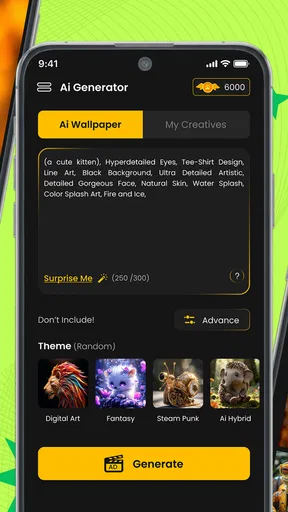
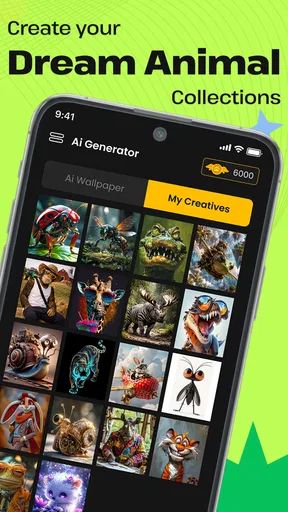
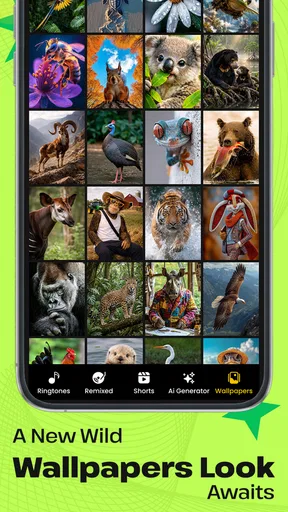
For AI wallpapers, I would use the same cautious approach: preview first, apply second, and then check the home screen and lock screen separately if the phone offers those choices. Wallpaper behavior varies by Android version and device brand, so a successful preview does not necessarily mean both screens will use the image.
Recovering when a selected sound does not appear
If a chosen ringtone does not seem to work, I would avoid immediately reinstalling the app. First, I would replay the sound inside Animal Ringtones to confirm that the selection itself is still available. Then I would check the phone’s current ringtone setting and make sure the device has not reverted to a default sound.
Next, I would restart the phone and perform a fresh test call. A restart is a basic step, but it can clear a temporary handoff problem between an app and the Android sound selector. I would also confirm that the phone is not connected to a Bluetooth device that is handling audio differently, especially if the expected sound is being tested near headphones or a car system.
If only notifications fail while calls work, I would inspect notification settings for the specific messaging app. Android often lets each application choose its own notification behavior, so a global tone change may not override an app-specific choice. This is one of the most useful distinctions to make before blaming the ringtone app.
When a sound appears in the app but not in the system list, I would repeat the assignment from inside the app and watch for every confirmation step. I would not assume that clearing data or changing advanced phone settings is necessary. Those actions can remove preferences or create more work, while a careful re-selection often solves a simple incomplete setup.
There is also a practical organization issue. If you save too many similar animal sounds, it becomes harder to remember which one was assigned. I prefer testing one, keeping it for a day, and only then deciding whether to replace it. That approach is especially useful for notifications, where a short sound needs to be recognizable without becoming irritating.
Useful ways to fit the app into a routine
One of the better uses I found is separating sound by urgency. A distinctive animal call can work for incoming calls because it stands out, while a softer nature sound may suit a less urgent notification. The trade-off is that a very unusual ringtone can attract attention in public places, so I would choose something recognizable but not embarrassing if the phone rings in a meeting or on public transport.
Bird songs can also be useful as a gentle morning alarm if your phone’s alarm settings accept the selected sound. I would test the full alarm behavior before relying on it for work or travel. A relaxing tone may be pleasant, but it should still be loud and clear enough to wake you. For important appointments, I would keep a backup alarm rather than trusting a newly configured sound without testing it.
The nature-sound angle makes the app more flexible than a basic ringtone picker. I can imagine using a quiet rain-like or outdoor atmosphere while reading, then switching back to a sharper call sound later. However, I would not leave a long preview running unnecessarily, especially if battery life matters or the phone is being used for other audio.
AI wallpapers are a separate reason to install it, but they may appeal most to people who want a coordinated visual refresh rather than a single ringtone. I would change the wallpaper after testing the sound setup, not at the same time. Keeping those tasks separate makes it easier to identify which part of the experience needs attention if something looks or sounds wrong.
A small but useful habit is to take note of the phone’s original ringtone before changing it. If the new sound becomes annoying, returning to the previous choice is faster when you remember what it was. This is not an app feature; it is simply a sensible way to experiment without losing a familiar setup.
When the app is not the cause
Many apparent failures come from Android’s sound rules rather than the app. Do Not Disturb may suppress calls or notifications, while a separate vibration setting may make the phone seem silent even though the tone is correctly assigned. Before repeating the download or selection process, I would check the active sound profile and make a test under normal, unlocked conditions.
Manufacturer software can also change the path to ringtone settings. Samsung, Xiaomi, Motorola, and other brands may label menus differently or add their own sound controls. The app cannot make every interface identical. If the system’s sound selector opens and the chosen tone is visible, the remaining work is usually phone configuration rather than content discovery.
Storage and general device health can matter too. If the phone is nearly full, downloads and saved personalization content may behave unpredictably. I would free some space before troubleshooting more aggressively. I would also update Android and the app when updates are available through the normal store process, since compatibility problems can be tied to the surrounding system.
Battery-saving restrictions are another possible complication, particularly if someone expects the app to remain active in the background. A ringtone that has already been assigned should normally be treated as a system sound, but a live preview or wallpaper-related behavior may be handled differently by the phone. If a feature stops updating, I would inspect the device’s battery settings before concluding that the app has lost the content.
Privacy-conscious users may also want to review Android’s permission prompts carefully. I would grant only what is clearly needed for the action I am taking and avoid approving prompts automatically. Since the app covers sounds and wallpapers, I would feel more comfortable when each request is understandable in context.
How it compares with ordinary alternatives
The default Android sound picker is still the better choice for someone who already has an audio file and only wants to assign it. It is usually more direct and avoids browsing a themed catalog. Animal Ringtones becomes more attractive when you want ready-made animal calls, bird songs, relaxing nature audio, or wallpaper ideas without searching for and organizing files yourself.
Dedicated wallpaper apps may offer a deeper visual catalog, while dedicated meditation or ambient-sound apps may provide more specialized listening tools. I would choose those alternatives if my main goal were high-volume wallpaper browsing or structured relaxation. This app makes more sense when personalization is the priority and you want sound and visuals together.
Compared with a generic ringtone collection, the animal theme gives it a clearer personality. That is a strength if you enjoy playful alerts or outdoor sounds, but it is also a limitation if you want music clips, minimalist tones, or highly professional notification sounds. The catalog’s appeal depends heavily on whether these themes match your taste.
The free entry point lowers the risk of trying it, but optional purchases mean I would not assume every desirable item is included at no cost. I would explore the free material first and only consider paying if I had already found a sound style I genuinely wanted to keep. That is a better approach than buying several items before knowing how well the app works with your phone.
Who should try it, and who should skip it
I think Animal Ringtones is a good fit for someone who wants a quick personality change on an Android phone, especially if ordinary system tones feel bland. It is also suitable for households where different people want playful call sounds, bird songs, or calming audio without manually collecting files. The broad age rating and simple concept make it approachable for casual users.
I would be more cautious if you need a guaranteed alarm solution, a professional notification system, or deep audio editing. The app is centered on choosing and applying themed content, not on replacing a full sound-production toolkit. People who dislike novelty sounds may also lose interest quickly, particularly if they expect a large selection of conventional music tones.
It is not the right first choice for an iPhone user, since the stated minimum operating system is Android 7.0 or later. Android owners with heavily customized phones should also expect to spend a few minutes verifying system settings. That is not a deal-breaker, but it is part of the real experience and should be considered before expecting one tap to handle every alert.
My practical verdict
After using it as a personalization tool rather than merely tapping through previews, I found the strongest part of Animal Ringtones to be its focused combination of animal sounds, bird songs, nature audio, and AI wallpapers. It gives a phone a more individual feel without requiring the user to search for separate resources. The app is free to start, and its 4.5 average across around 128 thousand ratings shows that many users find the concept worthwhile.
My main advice is to treat setup as a verification process. Select one sound, confirm the Android system assignment, test the phone while locked, and check sound modes before troubleshooting the app. If notifications behave differently from calls, inspect the individual notification settings. Those steps address the most likely friction without unnecessary resets or reinstallations.
The best reason to try it is simple: it makes everyday phone alerts more personal while adding a calmer visual and audio theme. I would recommend it to Android users who enjoy nature-inspired customization and are willing to spend a little time confirming how their device handles ringtones and wallpapers. I would skip it if you only need to assign an existing file or want a specialized meditation, alarm, or wallpaper platform. For the right user, though, it is an easy, playful way to make a familiar phone feel less generic.
Verdict
Strengths of Animal Ringtones
- Large collection of animal sounds for ringtone and notification use.
- Simple interface makes browsing and previewing sounds quick.
- Includes familiar pets, wild animals, birds, and farm animal calls.
- Sounds can help personalize calls, alarms, and message alerts.
- Many clips are short, making them practical for everyday notifications.
Limitations of Animal Ringtones
- Sound quality and volume may vary noticeably between different clips.
- Some animal recordings may feel repetitive after extended use.
- The app may include advertisements while browsing or playing sounds.
- Certain ringtone-saving features may require extra device permissions.
- Not every sound may be suitable for quiet workplaces or public settings.
Similar Picks in This Category
View All
Microsoft SwiftKey AI Keyboard
SwiftKey4.3

Wallpapers
Google LLC4.1

Zedge™ Wallpapers & Ringtones
Zedge4.7

Yandex Browser with Alice AI
Direct Cursus Computer Systems Trading LLC4.3

Ringtone Maker:create ringtone
Big Bang Inc.4.7

Fonts Keyboard
Fonts Keyboard3.9
Frequently Asked Questions
What is Animal Ringtones and what can I use it for?
Animal Ringtones is an app that provides a collection of sounds and melodies inspired by animals, including pets, wild creatures, birds, and other nature-themed effects. After browsing the available categories, you can preview a sound and set it as your phone ringtone, notification tone, alarm, or contact ringtone, depending on your device and the permissions supported by the app.
Does Animal Ringtones work on both Android and iPhone?
The availability and exact functionality of Animal Ringtones can differ between Android and iOS. Android devices generally allow downloaded sounds to be assigned more directly as ringtones or notification tones. On iPhone, additional steps may be required through Apple’s supported ringtone workflow, such as using GarageBand or syncing files. Always check the app’s store listing and your device version before downloading.
Can I use the animal sounds for individual contacts, alarms, and notifications?
In most cases, the app is designed to let you use selected animal sounds in several ways, including as a general ringtone, message alert, alarm, or personalized contact tone. However, these options depend on the operating system, phone manufacturer, and permissions granted to the app. If a specific button is unavailable, you may need to save the audio first and assign it through your phone’s sound settings.
Is Animal Ringtones free to download and use?
Animal Ringtones may be available as a free download, but the included experience can vary. Some versions may contain advertising, optional purchases, premium sound collections, or features that require payment. Before installing, review the store page for information about ads, subscriptions, in-app purchases, and the developer’s terms. Avoid assuming that every sound or customization option is available without charge.
Is Animal Ringtones safe, and what permissions does it require?
As with any ringtone or sound application, you should review the developer information, recent user reviews, privacy policy, and requested permissions before installation. A ringtone app may need access to storage or media files to save and apply sounds, but unrelated permissions should be considered carefully. Downloading it from the official Google Play Store or Apple App Store is the safest option.
